

Epson Projector
Repair Centre.
We are the UK's leading experts in Epson's premium Laser TV range. From the EpiqVision LS800/LS500 to the flagship EH-LS12000, we resolve laser cooling faults, 3LCD dust ingress, and smart system boot loops.
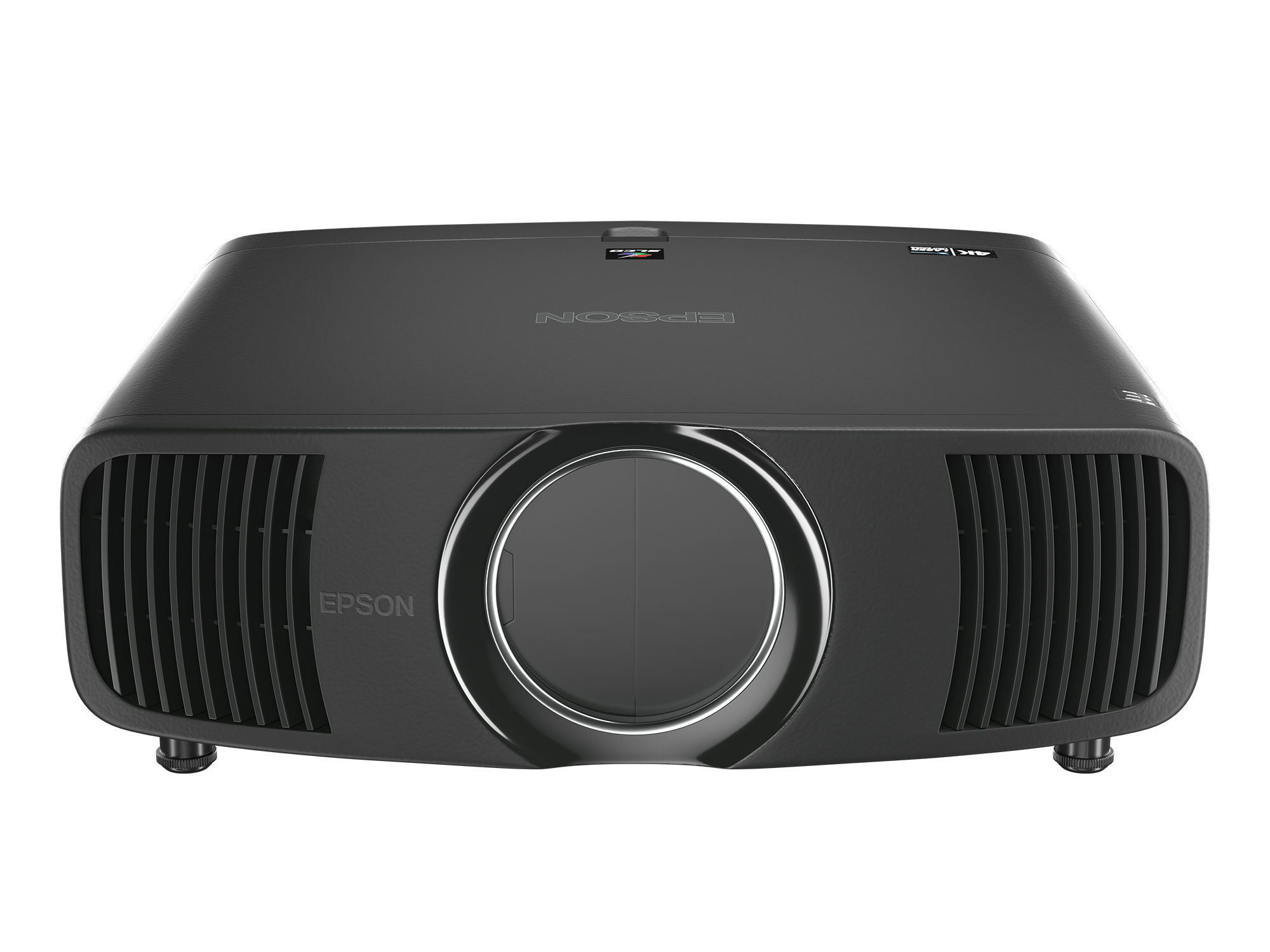
Common LS Series Faults & Fixes
Epson's EpiqVision line uniquely pairs a long-life Laser Light Source with their proven 3LCD imaging system. While the laser lasts for years, the optical panels and smart hardware still require specialist maintenance.
Polariser Burn (Yellow Tint)
Even with a laser light source, intense heat degrades the organic polarising filters over time. If your LS500 or LS800 has a yellow or pink stain, we strip the optical engine and install new filters to restore perfect whites.
Floor-Level Dust Blobs
Laser TVs sit inches from the floor, sucking in heavy dust and pet hair. When dust settles directly onto the internal 3LCD panels, it creates fuzzy green or pink circles. We perform a deep ultrasonic optical clean.
Android TV Boot Loops
Many LS models feature integrated Android TV and Yamaha audio. Power surges can corrupt the internal eMMC storage, causing the unit to hang on the Epson logo. We recover the system via hardware-level flashing.
Laser Thermal Shutdown
If the projector turns off rapidly with a flashing Temp or Laser light, the internal laser diode heatsinks are clogged. The system shuts down to prevent catastrophic diode failure. We restore the cooling pathways.
Myth-Busting: Epson projectors DO NOT get "White Dots". White dots are a failure of DMD micromirrors found in DLP projectors. Epson uses 3LCD technology without moving mirrors. If you see spots on an Epson LS series, it is dust inside the sealed optical engine, which requires a specialist deep clean.
EpiqVision Error Code Database
Epson LS projectors utilise a combination of the Status, Temp, and Laser LEDs to communicate hardware faults.
| LED Indicator State | Indicated Fault | Engineer's Recommendation |
|---|---|---|
|
Laser: Flashing Red
Status: Blue Solid
|
Laser Engine / Phosphor Fault | The projector cannot ignite the laser diode array, or the phosphor wheel has stopped spinning. This is a critical hardware fault requiring laser driver board repair or mechanical wheel replacement. |
|
Temp: Flashing Red
Status: Flashing Red
|
Thermal Protection / Fan Error | A cooling fan has seized, or internal sensors detect excessive heat. Clean the side/bottom air filters. If it persists, a fan bearing has failed and must be replaced to prevent laser burnout. |
|
Temp: Flashing Orange
|
Filter Sensor / High Temp Warning | The projector is running too hot but hasn't shut down yet. The filter must be physically washed or replaced, and the timer reset in the menu. Do not ignore this warning. |
| No LEDs / Completely Dead | Primary PSU / DC-DC Failure | A power surge or blown capacitor on the primary power supply. In LS models, this can also be a failure in the DC-DC converter feeding the smart Android TV board. We use micro-soldering to repair these boards. |
| No Sound from Yamaha Bar | Audio Board / Amplifier Fault | Specific to models with integrated Yamaha soundbars (LS300/LS800). The internal amplifier IC has failed or the connection ribbon is damaged. We perform board-level audio repair. |
Supported Epson LS Families
We maintain extensive stock of genuine Epson optical filters, mainboard components, and laser cooling parts.
EpiqVision Ultra
4K & 1080p UST
The flagship Laser TVs. We resolve Yamaha soundbar failures, Android boot loops, and clean the complex UST mirror array to remove dust blobs.
- • EH-LS800B / LS800W
- • EH-LS500B / LS500W
- • EH-LS300 (1080p)
Pro Cinema Laser
Native 4K & Pixel Shift
Dedicated home theatre beasts. We specialise in replacing degraded polarising filters (yellow image) and servicing the motorised lens shift mechanisms.
- • EH-LS12000B
- • EH-LS11000W
- • EH-LS10000 / LS10500
EpiqVision Mini
Portable Laser
Compact lifestyle projectors. We repair broken HDMI ports, dead power supplies, and auto-focus camera module failures.
- • EF-12 / EF-11
- • EF-100
- • EpiqVision Mini Range
Standard Epson
Repair Services.
Continuing to support the massive ecosystem of Epson lamp-based projectors. From the EH-TW Cinema legends to the workhorse EB-Series used in schools and offices.
Polariser Burn (Yellow)
If the air filter isn't maintained, the internal temperature rises. The blue polarising film degrades ("burns"), leaving a permanent yellow or pink stain on the projected image. We strip the optical engine and install new filters.
Internal Dust Blobs
Fuzzy, out-of-focus coloured circles (often green or pink) appear on dark scenes. This is dust that has bypassed the filter and settled directly onto the LCD panels. We perform ultrasonic cleaning to restore image clarity.
Auto Iris Failure
A loud grinding noise on startup, often followed by a flashing red Lamp and Temp LED. The plastic gears on the dynamic contrast iris have stripped or seized. We rebuild the mechanical iris assembly to prevent immediate shutdown.
Power & Ballast
If the unit is completely dead or clicks multiple times without the lamp striking, the Power Supply (SMPS) or high-voltage ballast has failed. We use micro-soldering to repair these boards rather than replacing them.
Important Filter Maintenance: Unlike DLP projectors, Epson's 3LCD projectors rely on an electrostatic air filter. If the "Clean Filter" warning is ignored, the unit will permanently damage its optical block within weeks. Never simply reset the filter timer without physically cleaning or replacing the sponge filter.
Standard Error Codes
Traditional Epson projectors utilise a combination of POWER, TEMP, and LAMP LEDs to communicate hardware faults.
| LED Indicator State | Indicated Fault | Engineer's Recommendation |
|---|---|---|
|
Lamp: Flashing Red
Power: Blue Solid
|
Lamp / Ballast Failure | The unit cannot ignite the bulb. If replacing the lamp (using genuine Epson ELPLP series) does not fix the issue, the high-voltage ballast board requires board-level repair. |
|
Temp: Flashing Red
|
Thermal Warning / Shutdown | Internal temperature is too high. The projector shuts down to save the LCD panels. Clean the filter. If it continues, an internal fan (usually exhaust or power supply fan) has seized. |
|
Temp: Flashing Orange
|
Filter Sensor / Airflow | The projector detects reduced airflow or the filter timer has expired. The filter must be physically washed or replaced, and the timer reset in the menu. |
|
Lamp: Flashing Red
Temp: Flashing Red
|
Auto Iris / Internal Error | Both flashing simultaneously (often with a grinding noise) indicates an Auto Iris mechanical jam. If no noise, it represents a fatal mainboard or sensor failure. |
| No LEDs / Completely Dead | Primary PSU Failure | A power surge or blown capacitor on the primary power supply. We trace the short circuit and replace the damaged components using micro-soldering. |
Supported Epson Families
We maintain extensive stock of genuine Epson polarisers, fans, and ELPLP lamps for the standard 3LCD ecosystem.
EH-TW Cinema
PRO-UHD & 1080p
The gold standard for home theatre. We resolve "Auto Iris" gear grinding, HDMI handshake issues, and perform ultrasonic removal of dust blobs from the LCD panels.
- • EH-TW9400 / 9300 / 7100
- • EH-TW6700 / 6500
- • EH-TW5650 / 5300
EB-Series (Office)
Classroom & Boardroom
The workhorses of UK schools. These units are highly prone to yellow/pink polariser burn due to ceiling heat and neglected filters. We provide bulk repair pricing for schools.
- • EB-2250U / 2265U
- • EB-685Wi (Interactive)
- • EB-X / EB-W / EB-U series
EB-L Laser Series
High-Brightness Venue
Solid-state laser projectors. We service the laser cooling loops, replace faulty phosphor wheels, and repair the complex mainboards managing the laser banks.
- • EB-L1000 Series (L1505U)
- • EB-L610U / L510U
- • LS12000 / LS11000 (Cinema)
Frequently Asked Questions
Why does my Epson LS800 have a yellow or pink stain on the screen?
Despite using a laser light source, the LS series still uses 3LCD technology to form the image. Over time, heat and UV light from the laser can burn the organic polarising filters inside the optical engine. We rebuild the optical engine with new, high-temperature filters to permanently resolve this.
My projector is stuck on the Android TV loading screen. Can it be fixed?
Yes. A 'Boot Loop' is usually caused by corrupted firmware or a failing eMMC storage chip on the mainboard. We can often recover the system via a hardware-level firmware flash or logic board repair without replacing the entire unit.
What does it mean when the Temp and Lamp lights flash red together?
On many Epson models (especially the EH-TW home cinema series), simultaneous flashing of the Lamp and Temp LEDs indicates a mechanical failure, most commonly the 'Auto Iris Error'. The gears controlling the dynamic contrast iris have stripped or seized. We replace the iris assembly.
There are blurry coloured circles on my image. Can I just clean the lens?
No, cleaning the external lens will not fix this. These are 'Dust Blobs' sitting directly on the LCD panels deep inside the optical engine. Because they are at the focal point of the light path, they appear as large, out-of-focus coloured circles. We perform a specialist ultrasonic clean of the internal prisms and panels.
Free Projector Recycling
Is your Epson projector beyond economical repair? Don't send it to landfill. We offer a completely free, eco-friendly recycling service. We safely extract internal batteries, laser modules, mercury from UHP lamps, and ensure zero-to-landfill processing for plastics and metals.
Recycle NowDon't Throw It Away.
A flashing laser error, yellow image, or dead power supply does not mean your Epson is dead. An optical engine rebuild or mainboard repair costs a fraction of upgrading to a new PRO-UHD or Laser unit.